Tropical Summer Vector Elements: A Practical Guide for Designers
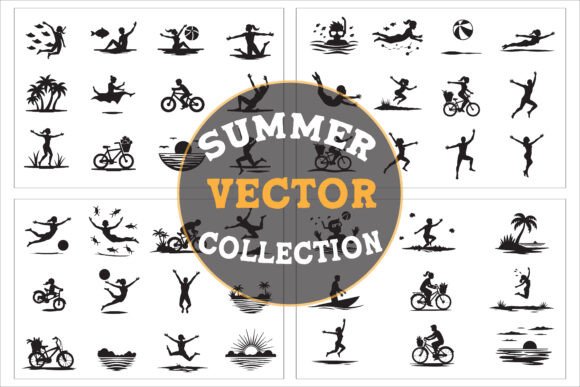
When the calendar turns to June, the demand for sun-drenched visuals spikes across every digital and physical platform. From social media campaigns announcing a summer sale to the packaging of a new beachwear line, the need for imagery that screams "vacation" is immediate. This is where Tropical Summer Vector Elements become an essential tool in a creator's arsenal. These digital assets offer a curated collection of palm trees, vibrant sunsets, ocean waves, and exotic fruits like pineapples and coconuts, all rendered in a scalable format that ensures crisp quality at any size.
However, simply downloading a bundle labeled "Tropical Summer" does not guarantee a successful design. Many creators, ranging from hobbyists making invitations to professional marketers launching brand campaigns, fall into the trap of assuming all vector bundles are created equal. The difference between a polished, professional result and a cluttered, amateurish mess often lies in understanding what is actually included in the file structure and how those elements interact with your specific project needs.
Understanding the Bundle Structure and File Formats
One of the most common oversights when purchasing or selecting Tropical Summer Vector Elements is ignoring the file formats provided. A high-quality bundle should include versatility. Specifically, you should look for a package that offers 4 SET EPS Files, 4 SET JPG Files, and 4 SET PNG Files. Each of these serves a distinct purpose, and using the wrong one can derail your workflow.
The EPS files are the gold standard for professional graphic design. They contain the actual vector paths, allowing you to resize a flamingo or a surfboard without losing any resolution. If you plan to print large-format posters or merchandise like T-shirts and tote bags, the EPS format is non-negotiable. Without it, your designs may appear pixelated or blurry when scaled up, ruining the final product.
In contrast, the PNG files are rasterized images with transparent backgrounds. These are perfect for web design banners, social media overlays, or quick mockups where you don't have access to vector editing software. However, a frequent mistake is trying to edit the internal colors of a PNG as if it were a vector. You cannot change the color of a pineapple in a PNG file; you can only replace the entire image. Understanding this limitation prevents hours of wasted time trying to manipulate a file that isn't built for it.
The JPG files serve as previews or low-resolution placeholders. While useful for quick reference, they should rarely be used for final production, especially for print materials, due to compression artifacts and lack of transparency support.
Avoiding Common Design Pitfalls
Even with the correct files, the application of Tropical Summer Vector Elements requires a strategic eye. A prevalent error among beginners is "asset dumping." This happens when a designer feels compelled to use every element in the collection—placing a starfish, a flip-flop, a coconut, sunglasses, and a palm tree all on a single flyer. The result is visual noise rather than a cohesive theme.
To avoid this, treat the vector collection as a palette, not a checklist. Select two or three dominant elements that tell your story. For example, if you are designing a beach-themed event invitation, a sunset and a silhouette of a palm tree might convey the mood perfectly without needing ice cream cones or seashells. Less is often more when aiming for that relaxed, "chill" vibe associated with tropical vacations.
Another subtle but critical mistake involves color harmony. Tropical themes often rely on bright, saturated colors like coral, turquoise, and sunshine yellow. If your brand guidelines or project requirements call for a more muted or sophisticated palette, blindly applying the default colors from the vector set can clash with your overall aesthetic. Always take the time to adjust the hues within your vector editor to ensure the elements complement your background and typography, rather than competing with them.
Context Matters: Where to Use These Assets
The versatility of Tropical Summer Vector Elements extends across various mediums, but the execution must adapt to the context.
- Graphic Design: For posters, flyers, and social media graphics, the scalability of the vector format allows you to create dynamic compositions. You can layer waves behind text or place a flamingo peeking over a headline. Just ensure the hierarchy remains clear so the message isn't lost in the decoration.
- Merchandise: When applying these designs to T-shirts, mugs, or tote bags, consider the printing method. Screen printing works best with flat, bold vector shapes, while DTG (Direct-to-Garment) can handle gradients and textures found in some of the sand or water elements. Using a complex, textured vector on a simple screen print can lead to registration issues and muddy results.
- Web Design: For banners and website themes, optimize your PNGs. Large, unoptimized PNG files can slow down page load times. Ensure you export the web-ready versions at the appropriate resolution to maintain site speed without sacrificing visual appeal.
- Stationery and Events: Invitations and scrapbooking projects benefit from the clean lines of vectors. However, remember that paper texture interacts with ink differently than pixels do on a screen. What looks vibrant digitally might appear slightly different in print, so always request a proof before mass-producing event decor or holiday cards.
Evaluating Quality Before You Commit
Before integrating any Tropical Summer Vector Elements into your workflow, perform a quick quality check. Open the EPS files in your preferred vector software and inspect the nodes. Poorly constructed vectors often have thousands of unnecessary anchor points, which can make the file sluggish and difficult to edit. Clean, efficient paths indicate a professional creation process.
Also, examine the detail level. Are the leaves on the palm trees distinct, or do they blend into a blob? Are the shells and starfish detailed enough to hold up under close inspection? High-quality collections will feature well-defined illustrations that stand out even when isolated. Low-quality assets often lack definition, requiring significant manual cleanup to make them usable.
Furthermore, consider the licensing terms. While many bundles are marketed for commercial use, always verify if there are restrictions on the number of end products or if attribution is required. This is particularly important for entrepreneurs selling merchandise or agencies working on client campaigns. Ignoring licensing details can lead to legal complications that far outweigh the cost of the asset itself.
Maximizing Your Creative Potential
Ultimately, Tropical Summer Vector Elements are meant to inspire and accelerate your creative process, not hinder it. By choosing a comprehensive bundle that includes EPS, JPG, and PNG formats, you equip yourself with the flexibility to tackle anything from a small Instagram story to a large-scale billboard. Avoid the temptation to overcomplicate your designs by sticking to a focused selection of elements that align with your message.
Whether you are a freelancer looking to deliver a stunning summer campaign for a travel agency, a small business owner creating branding for a seasonal pop-up shop, or a hobbyist planning a family reunion, the right tools make all the difference. Take the time to understand your files, respect the limitations of each format, and apply these vibrant assets with intention. With the right approach, these digital treasures will help you capture the essence of island life, sunny days, and endless summer vibes in your work.